EEV_TitleScreenMod.js
A downloadable plugin
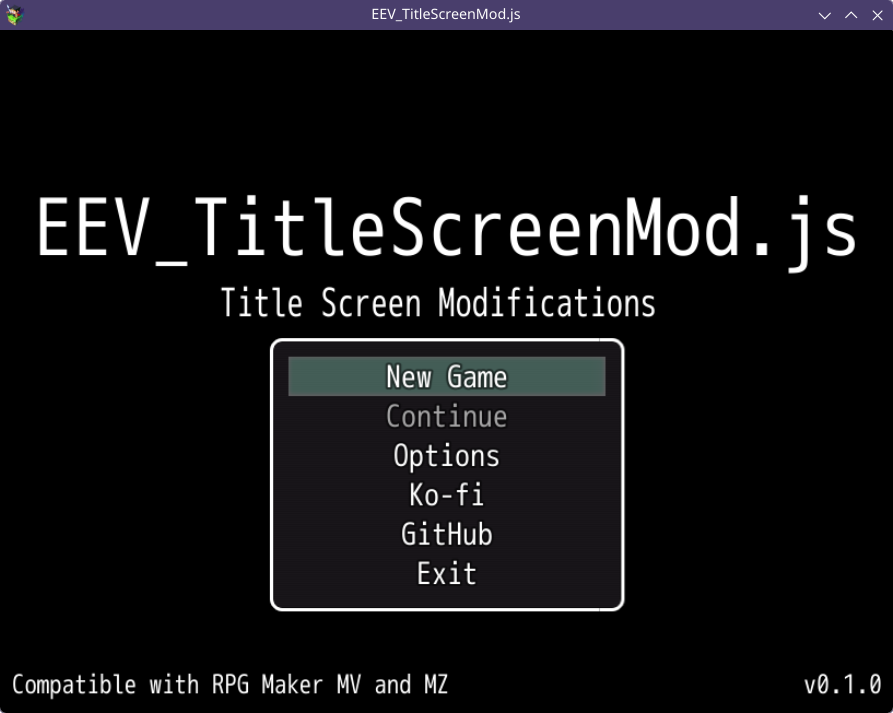
Plugin for RPG Maker MV/MZ that allows modifications to the title screen.
Features
- [Screen] Multiple custom text with customizable size, max width, line height, align and position.
- [Menu] Multiple external links with customizable text.
- [Menu] Customizable width (relative), visible rows, align and position (relative).
- [Menu] Quit option with customizable text (NW.js only).
- Multilanguage support (English, Spanish, Portuguese, Italian, French, German, Russian, Japanese, Korean and Chinese).
How to Install
Place the file EEV_TitleScreenMod.js in your project’s js/plugins/, go to plugin manager in RPG Maker MV/MZ, add the plugin, and set it to ON.
Download
Install instructions
Place the file EEV_TitleScreenMod.js in your project’s js/plugins/, go to plugin manager in RPG Maker MV/MZ, add the plugin, and set it to ON.
Development log
- v0.1.0 ReleasedJan 03, 2026